Selection Screen
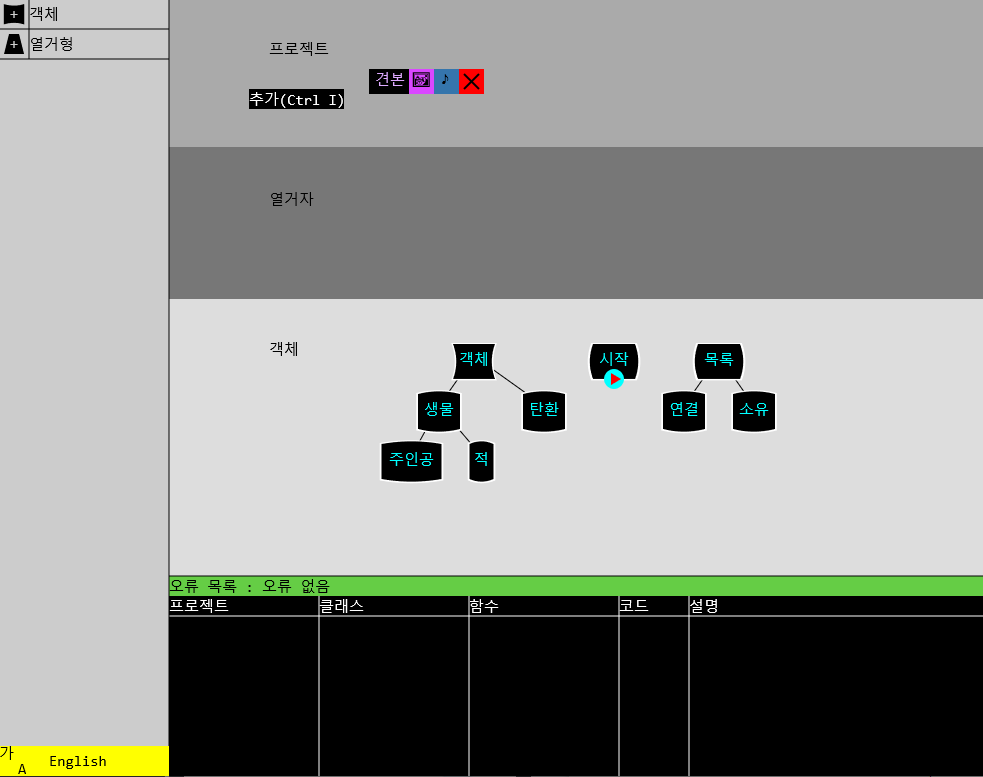
•When you create a project file, you can create Classes and enumerators on the first screen that appears.
•There is an interface on the left, so you can input by clicking the mouse.
•Classes can be created by keyboard input and are arranged in a tree form according to inheritance relationships.
•You can designate an object as an entry point with the Ctrl E shortcut, and an entry point object is created when the symbol is executed and the program is started.
•Click on the image next to the project to go to the image screen. Pressing a note takes you to the sound screen. Press the X key to close the project.
•There is a menu on the left where you can see the data types that can currently be created. This menu is also available on the object screen.
•You can go to the object screen by double-clicking the object or pressing the Enter key while selecting it.
•There is a list of errors at the bottom, and the program cannot be executed if there is an error, is being checked, or is modifying the syntax.