Class Screen
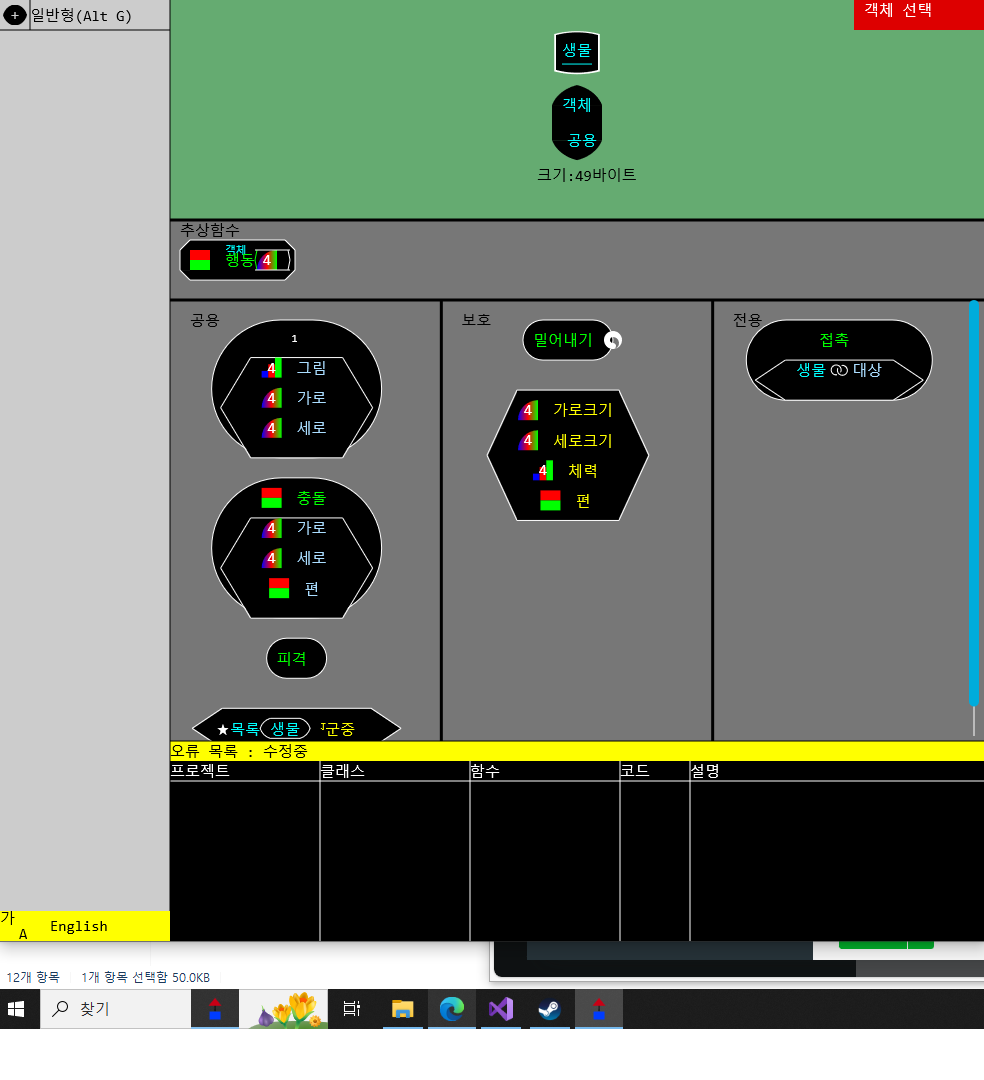
•The top is the class area, which displays the class name, inheritance, and size.
•Below the class area is the abstract function area, which lists the abstract functions that must be implemented.
•Public areas are accessible from outside by other objects.
•The protected area can only be accessed externally by inherited classes.
•The private area can only be used by the class itself.
•The selected area turns green.
•Select a public, protected, or private area and enter a keyboard or basic data type to create a variable, and enter Space or Alt F to create a function.
•You can move to the left and right areas by entering Alt ← and Alt → in the data of each area.
Comments