High Order Function
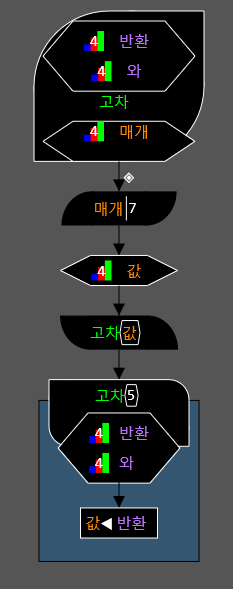
•Create by pressing Alt H in the function definition.
•You cannot specify a return statement in a higher-order function. You can specify the parameters of an anonymous function at the top of the function definition by pressing the ↑ key in the function definition. You can create a statement to execute an anonymous function by pressing Alt E in the execution area of a higher-order function, and you can enter the parameters of the anonymous function.
•If you enter Alt H in the execution area, a higher-order function formula will appear. Above is the higher-order function execution statement, and the square below it is an anonymous function. If you enter a higher-order function here, the parameters of the anonymous function declared in that higher-order function will appear.
•You can execute another higher-order function with matching parameters of an anonymous function by pressing the Alt J key.