Function Definition
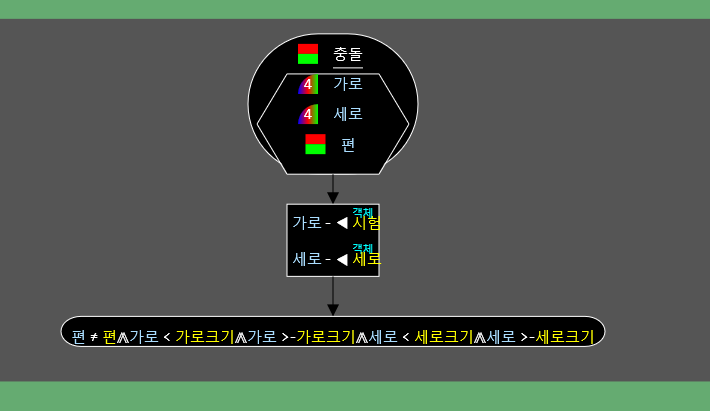
•Normally, only the function definition and parameters are displayed, but when selected, they expand to show the contents.
•There is a function definition at the top. You can specify the return type of the function on the left by pressing the left key. On the right, you can specify the name of the function.
•You can go to the parameter area by pressing Enter or ↓ in the function definition. You can create a parameter by typing a key or entering a basic data type in the parameter area, and you can create a variable by pressing Backspace.
•If the function name and return type are left blank, it becomes a constructor. A constructor without parameters and a number is the default constructor, and when the program starts, the object specified as the entry point is created and the default constructor is called. You can make it the default constructor by pressing the Tab key.
•You can make a function final by pressing Alt Z in the function definition. Final functions cannot be redefined.
•You can make a reference function by pressing Alt S in the function definition. Reference functions can only be called through references or allocators.
•Going further down in the parameter area takes you to the execution area.
•If there is a data type, it must go down in the execution area and return a value.